
Defender Idle 2
Introduction to Defender Idle 2
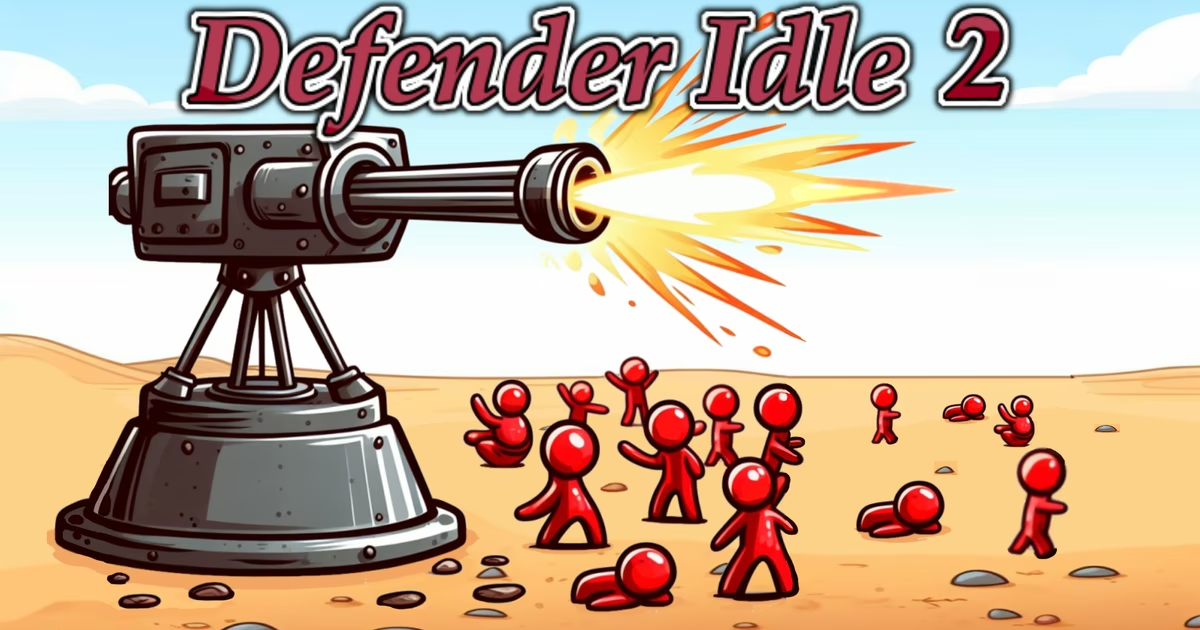
Defender Idle 2 is an endless idle tower defense game where players place turrets and upgrade systems to protect their base.
Developed by Barbas and playable directly in your web browser, the Defender Idle 2 Game challenges you to hold the line against a relentless enemy onslaught. Success in Defender Idle 2 demands more than passive watching; you must unlock defensive slots, strategically deploy your turrets, and continually invest in an expansive array of upgrades. By balancing research, technology, passives, mining, and artifacts, you can refine your Defender Idle 2 build wave by wave to outlast ever-growing threats and conquer the siege.
How to Play Defender Idle 2
In Defender Idle 2, your primary objective is to safeguard your base against an endless, relentless onslaught of hostile threats. As an idle defense game, the core gameplay loop focuses on expanding your defensive capacity, strategically placing turrets, and actively reinvesting into long-term upgrades to withstand ever-increasing challenges.
Core Mechanics and Strategy
To survive in Defender Idle 2, you must unlock defensive slots across the battlefield and position your turrets to counter incoming attacks. The gameplay balances immediate tactical placement with wide-ranging upgrade systems. You can systematically fortify your capabilities by accessing distinct progression systems, including research, passive perks, production pipelines, advanced technology, mining, artifacts, and the gambler's forge. If an enemy wave overwhelms your base in Defender Idle 2, you have the flexibility to retry the encounter, step back to earlier waves, or surrender to rebuild and optimize your setup.
Game Controls and Navigation
While you can manage your entire base using the mouse, Defender Idle 2 features a comprehensive suite of keyboard shortcuts to help you swiftly navigate menus and control wave pacing:
-
Mouse Interaction:
- Left Mouse Button: Interact with the in-game UI.
-
Wave Progression:
- Q: Previous wave
- W: Retry wave
- E: Next wave
- V: Surrender
-
Turret Operations:
- R: Toggle sell mode to remove existing turrets and adjust your layout.
-
System and Upgrade Menus:
- A: Research
- S: Passives
- D: Production
- F: Technology
- Z: Artifacts
- X: Mining
- C: Gambler's Forge
- G: Main Menu
By balancing turret deployment with constant progression across each upgrade menu, you can push through wave after wave to master the Defender Idle 2 Game.
Tips & Strategies for Defender Idle 2
Succeeding in Defender Idle 2 requires smart positioning, efficient resource management, and frequent use of your available upgrade menus. Here are key tips and strategies to help you withstand the relentless onslaught:
- Control the Flow of Waves: Do not rush forward if your base is struggling to survive. Use the Q key to step back to an earlier wave or W to retry the current wave. Regulating your Defender Idle 2 progression with Q, W, and E (next wave) allows you to stabilize your defenses before taking on stronger threats.
- Prioritize Unlocking New Slots: Turret coverage is essential to surviving larger enemy waves in Defender Idle 2. Focus early efforts on unlocking additional turret slots across your layout so you can increase your overall defensive firepower and create better coverage zones.
- Regularly Cycle Through Core Upgrade Tabs: Defender Idle 2 features multiple upgrade categories that boost your overall power. Use keyboard shortcuts to rapidly access and invest in these menus: open Research (A), apply points to Passives (S), manage your base's Production (D), and unlock advances in Technology (F).
- Engage with Auxiliary Power Systems: Beyond standard upgrades in Defender Idle 2, tap into dedicated secondary features to strengthen your build. Regularly check your Artifacts (Z), utilize Mining (X), and test your luck at the Gambler's Forge (C) to acquire further enhancements for your defense.
- Reorganize Defenses Using Sell Mode: As the enemy threat scales in Defender Idle 2, early turret placements may no longer be optimal for your strategy. Press R to toggle sell mode, enabling you to remove existing turrets, free up prime slots, and adapt your placement layout to changing demands.
- Use Surrender to Re-evaluate Failed Runs: If your defenses collapse and you cannot maintain your position, hit V to surrender. Resetting lets you reassess your turret choices, reallocate resources into critical technology and passives, and mount a stronger defensive stand on your next Defender Idle 2 attempt.
FAQ about Defender Idle 2
What kind of game is Defender Idle 2?
Defender Idle 2 is an endless idle defense game. Players strategically place turrets into unlocked slots and purchase upgrades across various systems to protect their base against endless waves of enemies.
Who developed Defender Idle 2 and when was it released?
The Defender Idle 2 Game was developed by Barbas and officially released in June 2019 for web browsers.
Which platforms support Defender Idle 2?
Defender Idle 2 is available to play directly in standard web browsers.
What are the controls for Defender Idle 2?
You can navigate and interact with the Defender Idle 2 interface using the left mouse button. In addition, several keyboard shortcuts streamline gameplay:
- Q / E: Previous wave / Next wave
- W: Retry wave
- R: Sell mode
- V: Surrender
- G: Menu
- A: Research
- S: Passives
- D: Production
- F: Technology
- Z: Artifacts
- X: Mining
- C: Gambler's forge
What features and upgrade menus can players access in Defender Idle 2?
To bolster base defenses in Defender Idle 2, players can unlock turret slots and invest in a variety of upgrade categories and menus, including research, passives, production, technology, artifacts, mining, and the gambler's forge.
Where to play Defender Idle 2?
You can play Defender Idle 2 online at wenotsurvive.com. Open the site in your browser and start playing right away.
Next Adventures

Wildfire
Wildfire
Tower Defense
Tower Defense

Bad Egg
Bad Egg

Overrun
Overrun

Kingdom Rush
Kingdom Rush

Human Resistance
Human Resistance

Brain Train
Brain Train

Bloons Tower Defense
Bloons Tower Defense

Age Of Arms
Age Of Arms

Limited Defense
Limited Defense